
Drupal for Marketers
With DXPR, marketers can build what they want when they want with absolutely no code

Our Clients

The power of Drupal gets lost
Are you Struggling to Build Pages on Your Drupal Site?
You’re not the only one. Most marketers at companies and organizations with Drupal sites are stuck with these options:
- Wait for a developer to help you?
- Try to build with Drupal by yourself?
- Just give up?

With DXPR, you can unleash your creativity instantly. Build whatever you want.
You don’t have to assign that webpage to a busy designer
You can do it yourself today. Over 2000 businesses and organizations use DXPR.

“I can now customize my website with drag and drop elements - super easy and super fast! I was able to quickly create a consistent design for our web site and easily change things based on the feedback from our internal teams.
I didn't have to hire anyone to help me with the web page design and I was even able to do 100% of the content and image design on my own. Time savings has proved to be the best asset.”
Lisa Renfroe
VP of Marketing at Digital Shipper

"DXPR adds magic to Drupal: it unites the power of the best CMS with the simplicity of drag and drop.”
Lyece Hammoun
Head of Communications at Institut Bioforce
Enterprise-Ready and Easy to Use
Visually create any page with your desired layout. Customize any element.

OUR FEATURES
Build Sites Faster and Easier
What do marketers love most? Easily building site pages exactly how they want.

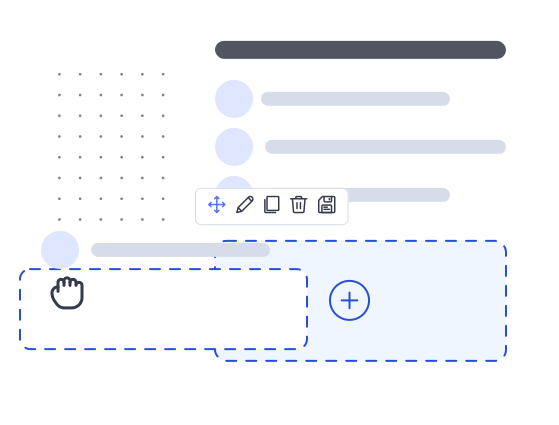
Drag and drop designing
Pick it. Move it. Change it. Swap it. Add new rows. Include one to six columns in any row. Add engaging elements like tabs and carousels. Embed videos or maps. Design the way you want.

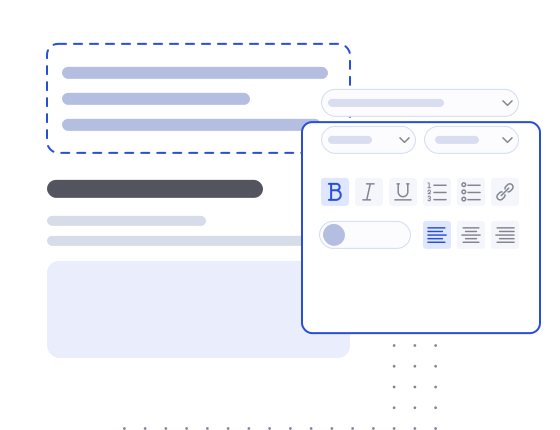
One Click Editing
Change anything you need instantly. Just click any text to edit it or swap out the color or font. Click an image to replace it. Update background colors. No questions or confusion, just fast visual editing.
What our Clients Say
Learn why large businesses, small businesses, universities, and governments rely on DXPR for fast and beautiful Drupal page launching.

“Before, We were using a mixture of Panels and basic WYSIWYG pages but neither allowed the staff to have the freedom to design pages or remix them in a compelling way.
With DXPR Builder, I can design high quality pages for staff, or set them up with templates or saved snippets to do that on their own. Now I can focus on the core technology we are using and not have to design every page we have. I can let the staff do that themselves.”
Zachary Krebs
Technology Manager at Biodynamic Association

“With DXPR Builder we finally feel we're getting the best out of Drupal 9. Our marketing department is now much more effective at authoring marketing content and A/B tests.”
Victoria Liang
Digital Marketing Manager at Shanghai University
Where Marketers Fall in Love with Drupal
For too long, marketers have struggled with Drupal. Those days are over. Smart, fast marketing teams build whatever they need with DXPR, even with no Drupal experience. Drupal-powered marketing teams are now dangerous. You have all the power of Drupal—the ability to create robust websites with any form, gallery, or shop you need—combined with easy visual building. Now, that technical downside of Drupal is behind you. Move forward with intuitive drag and drop building.

Create Any Layout You Want

Design any Drupal Element

Build What you Imagine
Not Technical? No problem.
Everything marketers need to build with Drupal

No Code Design

Design With or Without Templates

Save and Share Templates

Mobile-Friendly Rows and Columns

Endless Layout Options

Video Players, Sliders, and Webforms
Your Site, Your Login
DXPR is an add-on to your Drupal site. As a self-hosted solution for beautiful Drupal layout building, DXPR is 100% secure. We integrate with Drupal’s core permissions and API, so site users can still access the appropriate CMS components.
Fast Expert Support
Get hands-on responses from our support team. Video call support from a dedicated account manager is available.